
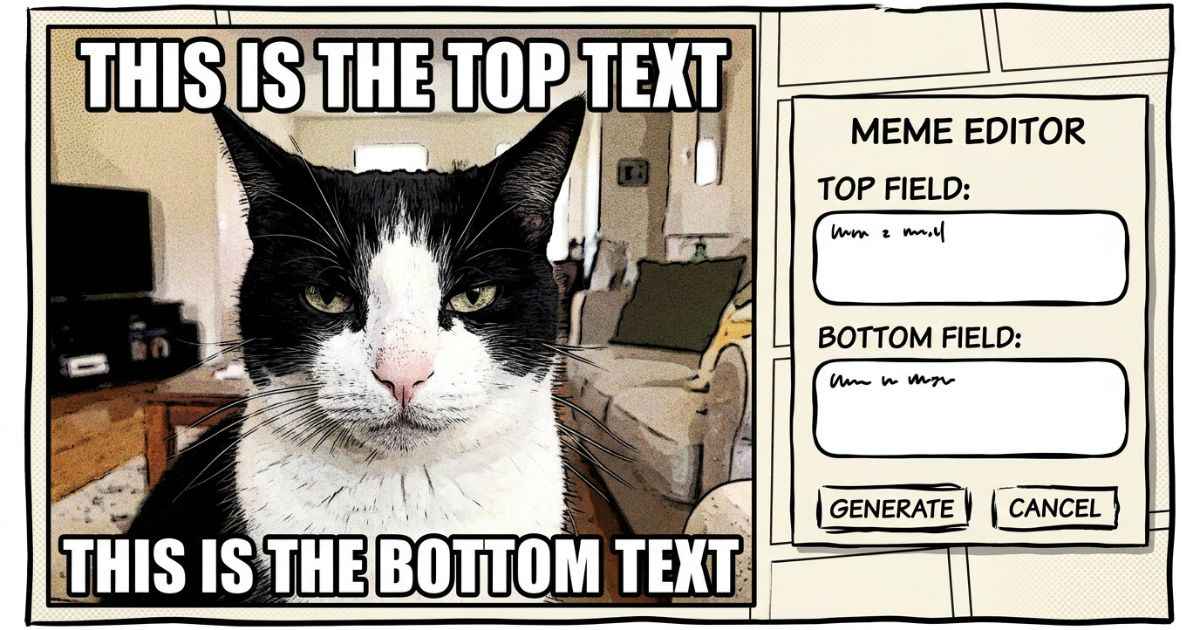
You do not need Photoshop or a Canva account to make a meme. A free browser tool can add classic top and bottom text, an outline, and an export option without requiring a full design program. This guide walks through exactly how, plus when heavier software still makes sense.
Why You Don’t Need Design Software for a Meme
Many classic memes use one image with one or two short lines of bold text and a strong outline.
Photoshop and Canva can both make memes, but they also include many other design features you may not need for a simple meme.
A dedicated meme tool skips all of that. It opens straight to the two things a classic meme needs: an image and two text boxes, with the outline and sizing already handled for you.
What Photoshop and Canva Make You Do Manually
Both tools can absolutely make a great meme, but they ask you to build the classic look yourself, step by step. That can mean several manual choices that you may not need for a simple meme.
| Task | In Photoshop/Canva | In a Dedicated Meme Tool |
|---|---|---|
| Text outline | Add a stroke or text effect | Built in, adjustable with one control |
| Font sizing | Resize by hand until it fits | Sizes itself automatically |
| Text position | Drag and adjust top/bottom placement | Top/bottom placement built in |
| Export | Choose format and settings each time | PNG or JPEG download |
| Account needed | Canva requires an account to use its editor | No account required |
None of this makes Photoshop or Canva bad tools. It just means a simple meme can take extra setup when you’re creating the text style and positioning yourself.
Step-by-Step: Making a Meme in Your Browser
Here’s what the process actually looks like from start to finish.
Step 1 — Upload Your Image
Choose any photo from your device as the meme’s background. Every step above happens inside the Comic Meme Generator, which runs in your browser with no account or install required.
Step 2 — Add Top and Bottom Text
Type your caption into the top text box, the bottom box, or both. The generator uses bold capital letters with a white fill and black outline for the classic meme look.
Step 3 — Adjust the Outline Thickness
Use the outline control to make the border around your text thicker or thinner. A thicker outline can help text stand out on busy or light-colored photos, while a thinner one can work well on simpler backgrounds.
Step 4 — Download as PNG or JPEG
Once the meme looks right, download it as PNG when you want to preserve image detail, or JPEG when you want a smaller file size. The generator provides both download options and does not add a watermark to the finished image.
Why the Text Auto-Sizes Itself
Long captions can create a common meme-design problem. Type too much text and it can spill off the edge of the image or shrink so small it’s hard to read.
The dedicated meme tool solves this by resizing the text automatically as you type. Short captions stay large and bold, while longer ones shrink to fit the available space without you touching a font-size slider.
This matters most on mobile, where a meme with cramped or overflowing text is much harder to read than one on a full-size desktop screen.
When You’d Still Want Photoshop or Canva Instead
A meme tool is not the right choice for every image project, and it’s worth being honest about that. Some jobs genuinely need a full editor.
Reach for Photoshop or Canva instead when your project involves:
- Combining several images into one layered composite
- Designing something meant for print, like a flyer or poster
- Building a full multi-slide layout or brand kit
- Fine-tuning color grading or retouching a photo
For a single-image meme with text on top, a dedicated tool can simplify the process by skipping extra setup steps.
FAQs
Do I need to sign up for an account to make a meme?
If the meme tool does not require an account, you can create a meme without signing up or logging in. The Comic Meme Generator described in this guide does not require an account.
Will my meme have a watermark?
It depends on the tool. Check its export settings or download policy before you start. The Comic Meme Generator described in this guide does not add a watermark to downloaded images.
Can I use the same tool on my phone?
Many browser-based meme tools work on both mobile and desktop, although the experience can vary by tool. The Comic Meme Generator runs in a web browser on both desktop and mobile.
What’s the difference between PNG and JPEG for a meme?
PNG preserves image detail without JPEG-style compression, while JPEG usually produces a smaller file. Both formats are available in the Comic Meme Generator.
Why does my meme text look small on a long caption?
Some tools auto-shrink text to keep long captions fitting inside the image. This is intentional and can help prevent text from being cut off or overflowing the edges.
Is it okay to reuse a photo I found online for a meme?
Only if you have the rights to use it or it’s licensed for that kind of use. Screenshots and stock photos can carry copyright restrictions even when shared widely online.
Next Step
Open a browser-based meme tool, upload your image, and build the classic meme layout without installing design software. For other no-software options, the full Invincible generators list covers posters, quote cards, and more.